I've been fairly quiet on EO-Map this week, and the reason is EVE Frontier. Cycle 7 went live on Tuesday 29 September and I've played it every day since, more than I've played anything in a long while. I wrote up my first week of it on the other blog if you want to know what the fuss is about.
Playing it means I've also been living in EF-Map, the map I built for that game. A lot of people have been using it this cycle, so a lot of fixes and polish landed there first. Some of that has now come across to EO-Map. I think they're improvements. I'll leave that for you to judge.
Two maps, one ancestor
Quick recap if you're new here. EO-Map started life as a copy of EF-Map. On 12 August I cloned the whole repository, ripped the other universe out and dropped New Eden in, and it went live six days later. The first post on this blog has that story. Since then they've been two products in two separate repositories, and most of my EO time has gone into the parts they don't share. EVE Online's data comes from ESI and the SDE, the backend is its own collector on my server, and almost none of that looks like what EF-Map does.
The part that draws the map is a different matter. The scene, the camera, the stars, the labels and the routes are still close enough that when I change something visual on one map I can ask whether it would work on the other, and if it would, carry it across. It has gone the other way before. A SpaceMouse request on EO-Map turned into Creator Mode, and that went back to EF-Map, which I wrote about in the fork starting to pay EF-Map back. This week it's EF-Map paying EO-Map.
A sky behind the map
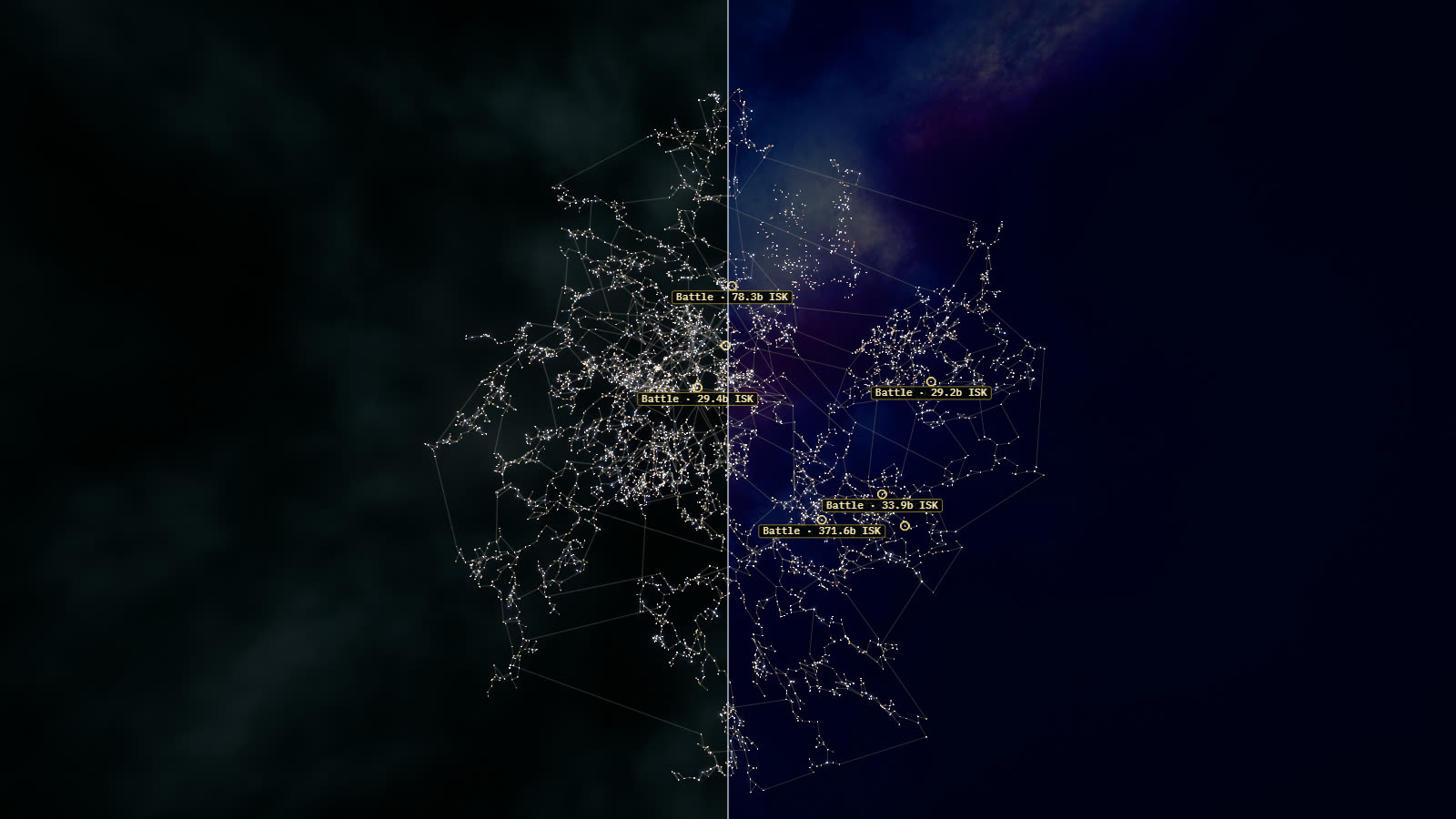
The first one actually landed on Wednesday. The backdrop behind the map used to be three layers of soft procedural cloud, which is the left half of the image at the top. EF-Map got a new sky backdrop earlier in the week and I liked it enough to bring the same nine skies across. In Display Settings the style is called Frontier Sky, and EO-Map defaults to the one called Ultraviolet, dimmed so the stars still do the talking. None of it moves while you're not touching the map. If you preferred the old clouds, the Backdrop section of Display Settings will let you pick another sky or go back to Classic.
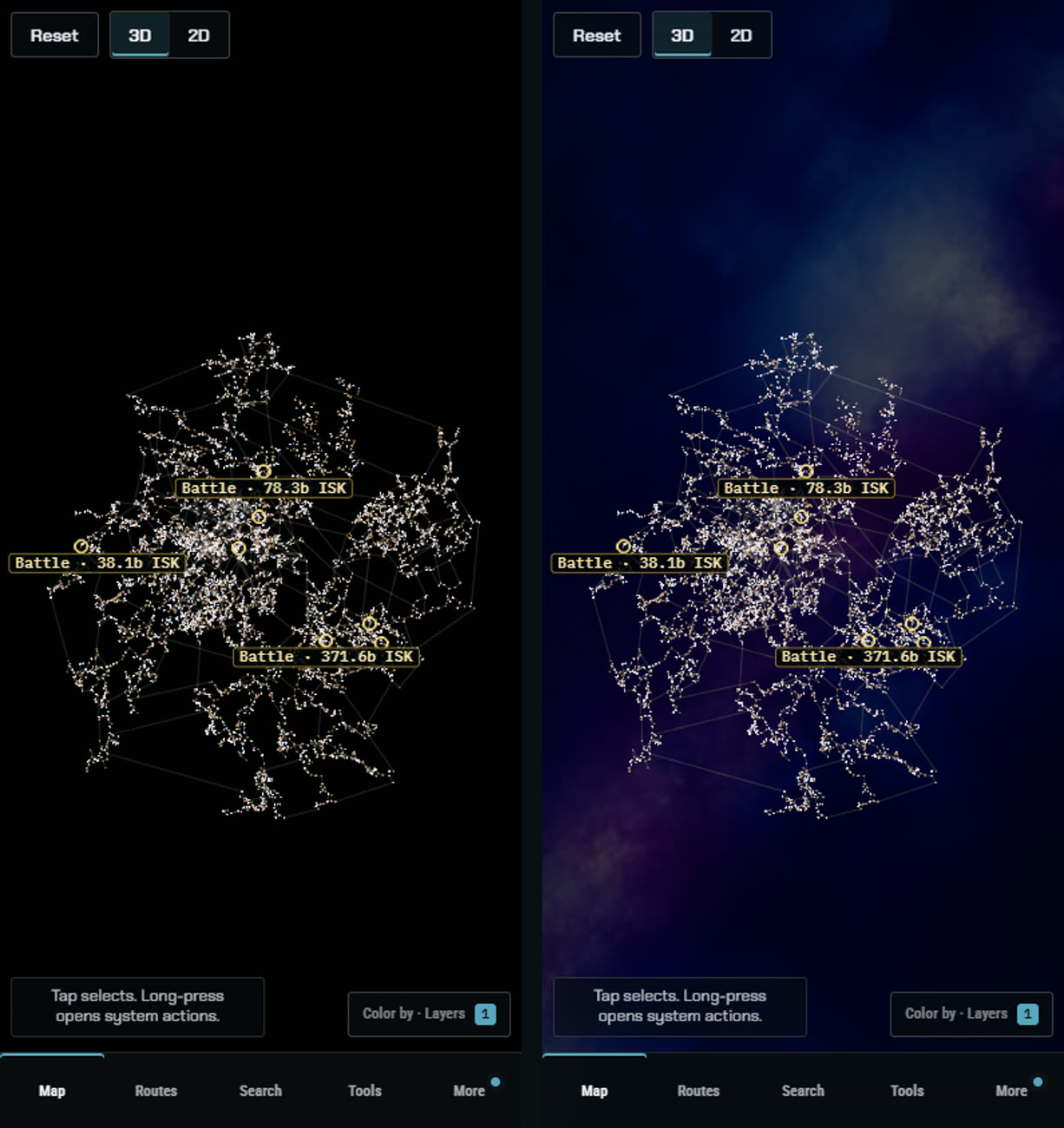
Phones never had a backdrop at all. The mobile defaults switched it off, so on a phone the map sat on flat black. As of today phones get the same sky as desktop, from smaller 512 pixel versions of each image. The default sky is 44 KB to download on a phone and needs roughly 8 MB of graphics memory instead of 32, which seemed a fair trade.
The loading screen
This is my favourite of the lot. The old loading screen was a big boxed logo with a progress bar under it, and when the map was ready it simply cut to the map. It also opened on a white flash before anything appeared, which I'd stopped noticing until I recorded it next to the new one.
Now the screen is black from the first frame. The logo fades in, a thin line underneath shows progress, and when the map is ready the logo shrinks and flies into the little compass in the bottom right corner while the map fades up behind it. It waits for the sky too, so you don't get a black map with the backdrop popping in a second later, but it gives up after a couple of seconds rather than make you sit there. Any key or click skips straight to the map. On phones, in embeds and with reduce motion switched on, it just fades.
The selected star
Selecting a star used to give you a ring and a label, and from any distance the star itself got lost in the crowd. Now the selected star glows in the selection colour at any zoom, and when the camera arrives it flares once. If you then pick another star, a small comet flies from the old one to the new one and lands as the flare goes off.
EO-Map has more things that move the camera than EF-Map does. Faction Warfare focus, Force Projection, Kill Replay and the first-visit landing all fly the camera on their own. I didn't want a comet every time one of those moved the view, so the comet and the flare only happen when you actually change the selection. Plotting a route doesn't throw one either, even though it selects the start.
Routes draw themselves on
When you plot a route now, it draws itself from the origin to the destination over a second or two, with a bright head, a little spark at each waypoint and a flare when it lands. The jump count in the Point to Point summary counts up with it. Recalculating the same route, switching to 2D or anything else that rebuilds the scene doesn't replay it. Only a new route does. Jump Planner routes get it as well.
Porting it turned up two bugs EO-Map had all along. Some rebuilds dropped the old route without cleaning it up, so after four accent colour changes there were five copies of the route's animation running at once. And when a route passed behind the camera it could fan a wedge of colour right across the screen. Both are fixed. If you want to watch the reveal yourself, this link plots Jita to Amarr, and the route planner page covers the rest of the routing.
Crisp gate lines
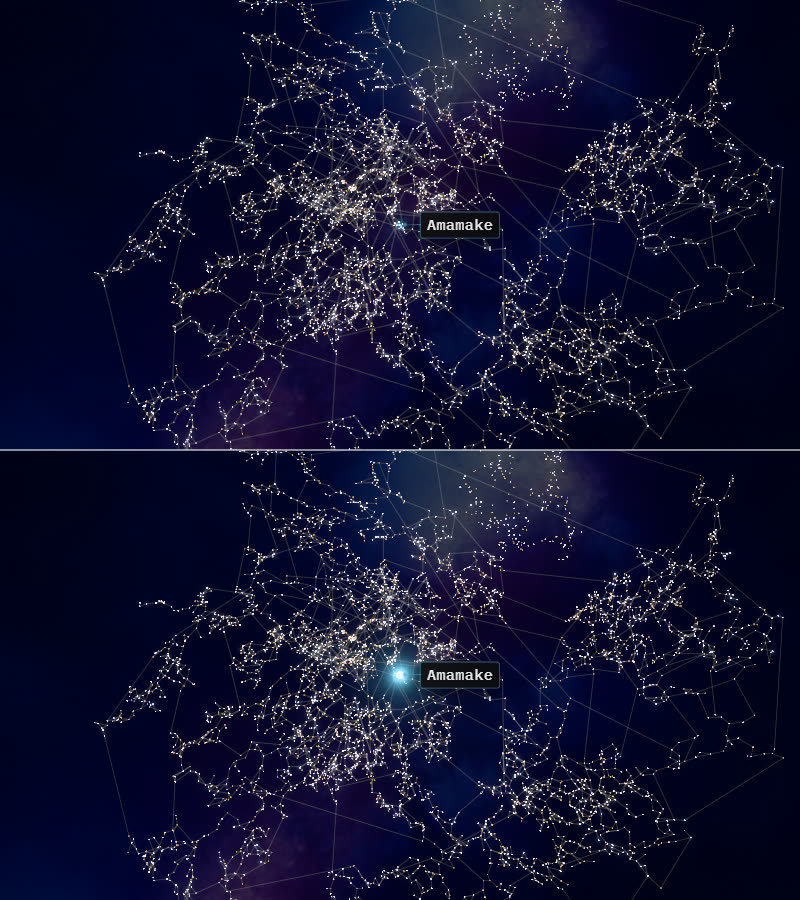
Stargate lines are now drawn as smooth lines of a fixed width instead of the browser's one pixel lines. I'll be honest, on my 1440p monitor I can barely see a difference, and the EF-Map side found the same. On a high-DPI screen, so most laptops and phones, the old lines thin out to hairlines and the new ones hold their width, which is the comparison below. They use the same colours as before. The Traffic and Gatecamps layers still draw on top, though on a high-DPI screen they look a little softer against the wider line.

If you'd rather have the old ones, Display Settings, Interface, Gate Lines has a switch between Crisp and Classic, and adding ?gates=classic to the address does the same for one visit.
The small stuff
A handful of smaller things came across too. System names fade in when they appear instead of popping, and they no longer shimmer while the map works out which names to show. The hover ring snaps onto a star rather than just appearing. The right-click menu and the hover card ease in. The window that downloads the Solar System View database looks like the rest of the app now, and it shows real progress. It used to sit at 0% for the whole download if the map had already started fetching the file in the background, which was a bug in both maps. And live kill rings now survive switching Cinematic Mode on and off, where before they quietly vanished.
Nothing moves when you're not touching it
There's one rule all of this had to follow. When nobody is touching the map it drops to about five frames a second, because a lot of people leave it open on a second monitor while they play and it shouldn't be cooking their graphics card. Every new effect plays once and then stops, and with reduce motion switched on none of them play at all.
Checking that properly showed EO-Map was already breaking the rule in a few places. The jump range bubble, the Omnishift pulse and the Force Projection shells all kept the map rendering at full speed for as long as they were on screen. They now slow down and stop about 20 seconds after you last touch the map, and carry on from where they froze when you do.
| Measured in my own testing | Before | Now |
|---|---|---|
| Frame rate with the jump bubble shown, map left alone | about 75 a second, indefinitely | about 5 a second after 20 seconds |
| Copies of a route's animation after four accent changes | 5 | 1 |
| Backdrop download on a phone | no backdrop | 44 KB for the default sky |
The heavier pieces only load the first time they're needed, which is why the whole batch only added about 6 KB to what your browser fetches up front.
What stayed behind
One thing from that batch didn't come across. EF-Map also got a shockwave for live kills, but EO-Map already has its own ring for big kills and I like it, so EO's kill effects stay exactly as they are.
That's roughly how it works between the two maps at the moment. Whichever one I'm spending time in, or whichever one people are asking for things in, gets the work first, and if it makes sense on the other one it comes across a few days later. This week that was EF-Map, because Cycle 7 has eaten my week. Next time it'll probably be the other way round.
If any of this looks worse to you than what was there before, or there's something you'd rather switch off, let me know and I'll have a look.