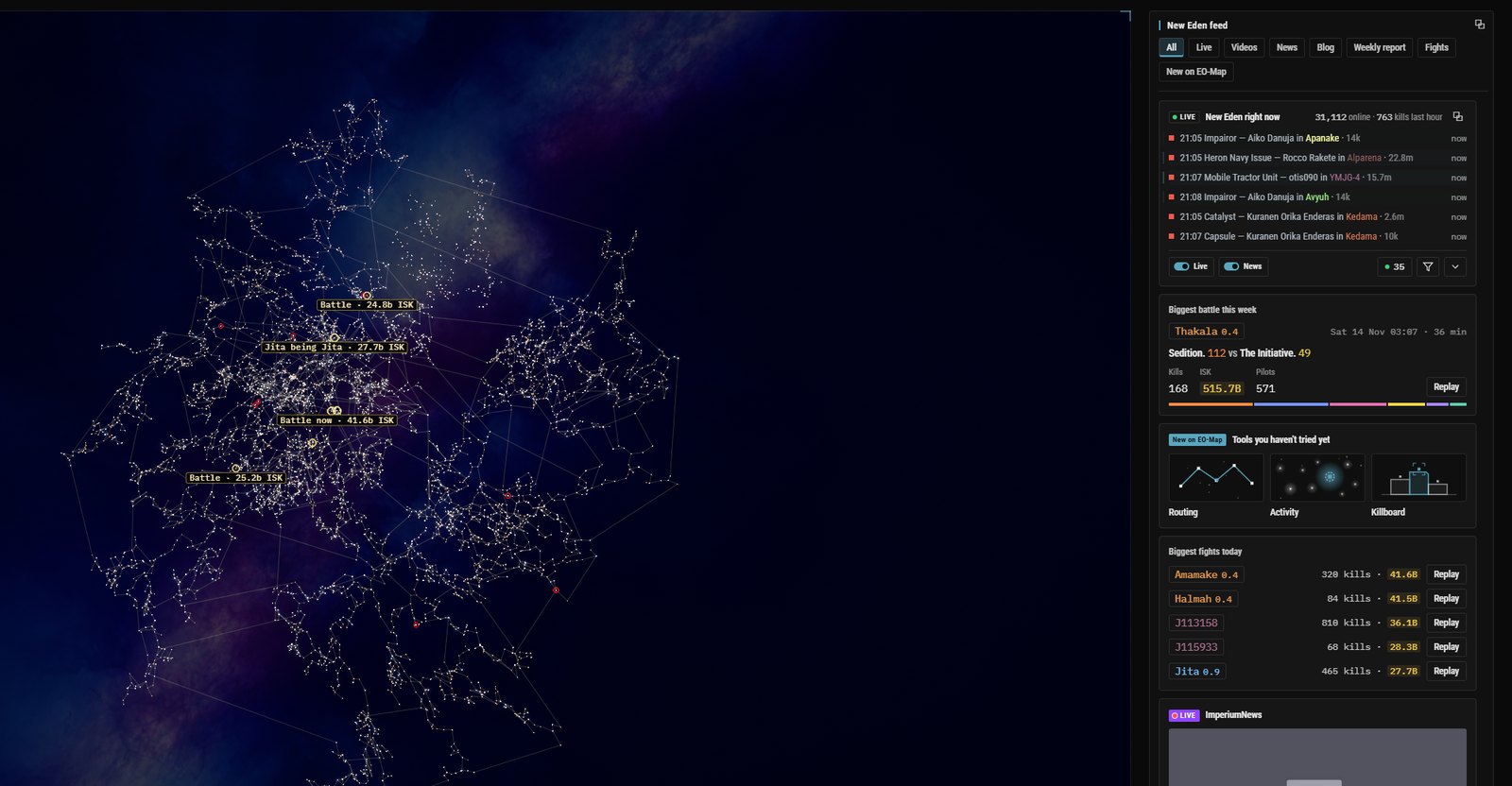
The live kill feed on EO-Map was slow, and for about three months I had no way of noticing. It came across from EF-Map, my map for EVE Frontier. That is a different game by the same studio, and EF-Map has had a kill feed, a replay and a scrolling ticker since about November 2025. When I forked EF-Map in August 2026 to make EO-Map I converted it one surface at a time, and the ticker came over with zKillboard as the kill source. It worked, so I left it alone.
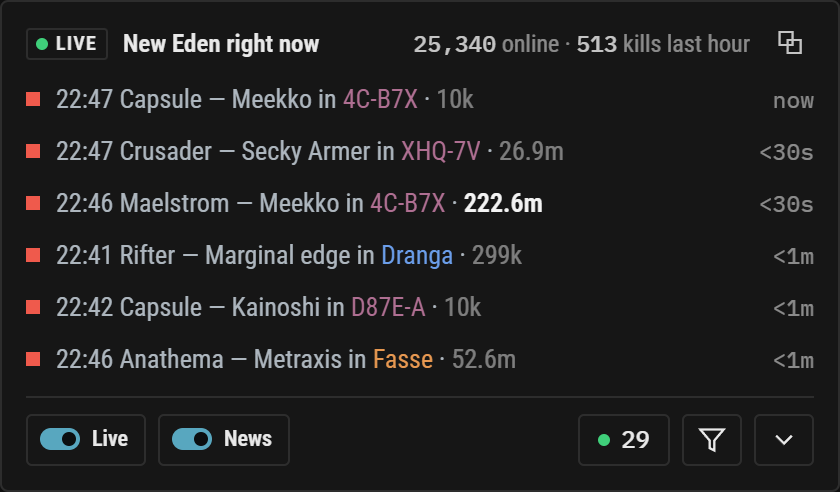
On a ticker, speed never really matters. Rows queue up and scroll in from the right, and nobody can tell whether a kill is 10 seconds old or 20. It had never been optimised for speed because it never needed to be. Then at the start of November I shipped Watch view, which puts the same feed into a plain list, and it was suddenly obvious. Kills arrived late and they arrived in clumps. So I measured it, traced where the time was going, and fixed it.
Before and after
Both sets of numbers were taken on 15 November in an ordinary browser, with the site left open for about 12 minutes each time. The clock starts when zKillboard publishes a kill and stops when the row reaches the browser.
| Measure | Before | After |
|---|---|---|
| Kills in the sample | 176 | 189 |
| Median, zKillboard to your browser | 24.0 seconds | 5.45 seconds |
| Slowest 10 percent | 63.7 seconds or more | 7.9 seconds or more |
| Last kill out of one burst of 8, in testing | 33 seconds on the old route | 4.3 seconds |
The worst single kill after the change took 9.6 seconds. Most of what is left is not mine to change. A kill takes roughly two minutes to reach zKillboard at all after it happens in game, about 130 seconds at the median in these samples, and nobody downstream can do anything about that. Of the 5.45 seconds after it, about 5 is zKillboard's own feed delay plus the wait for the next poll. EO-Map's part is the push leaving my server about 30 milliseconds after the fetch, reaching your browser about a quarter of a second after that, and the row being drawn about 17 milliseconds after it arrives.
Where the 24 seconds went
zKillboard's feed is a sequence of numbered files that a client polls in order. The rule is to wait at least 6 seconds after a miss and 100 milliseconds after a hit, so a new kill waits somewhere between 0 and 6 seconds for the next poll, about 3 on average. EO-Map keeps to that rule and it sets the floor. The rest was on my side, in three places.
The first was the collector, the program on a small server that does the polling. It did everything for one kill before fetching the next. Fetch it, look up the pilot's name, write it to the database, make four calls to object storage, which I measured at about a second per kill, then pause for half a second. About 2 seconds a kill. That sounds fine until you know zKillboard publishes in bursts of up to about 30 at once. A burst of 20 took about 40 seconds to drain.
The second was a Cloudflare Queue between storage and the live Worker, set to deliver 5 messages or 5 seconds, whichever came first. So a single kill could sit there for up to 5 seconds and then go out with whatever else had turned up. That is where the clumps came from.
The third was the route itself. The collector wrote a file to storage, storage raised a notification, the Queue delivered it, the Worker read the file back, and only then did a Durable Object, the part of Cloudflare that holds everyone's open connection, send the kill out over WebSocket. Every step worked. There were just a lot of them.
Send it, then write it
The fix fits in one phrase. Send it, then write it. The moment the collector fetches a kill it pushes it straight to the Worker, and the database and storage writes follow behind in an ordered queue. During a burst the next file is now fetched 100 milliseconds later instead of 2 seconds later. Between the two, that burst of 8 in the table went from 33 seconds to 4.3.
The pilot's name is the one thing worth waiting for, because a row without a name is not much use. So the push waits at most 400 milliseconds for it. If the name is late the kill goes anyway and the name follows in a small update. In testing that happened to 1 kill in 209, and the name turned up 0.26 seconds later.
The old route is still there as a safety net, with the hold taken off the Queue, and the Durable Object remembers kill ids so a kill that comes in both ways is only shown once. I checked along the way. No duplicate kills, and no kill lost. History is the part of the system I care most about, so a kill is only queued for storage once it is safely in the database. I would rather a kill was late than missing.
I did think about polling zKillboard from Cloudflare instead of the server, and decided against it. The rate limit is per IP address and Cloudflare's outgoing addresses are shared, so as far as I can tell I would be sharing that limit with whoever else is on the same address. And the 6 second floor would have been exactly the same.
Kill filters
While I was in there I expanded the kill filters. You can now set a minimum value, show capitals only, and pick the type of space, which can be high, low, null, wormhole, Pochven or Faction Warfare. You can pick regions and systems, kills within a number of stargate jumps of a system you choose or of your own location through EVE SSO, and kills on your planned route. And you can pick alliances or corporations involved anywhere on the kill. Places add up, so a kill in any of the places you picked gets through. The groups narrow each other, so the set-up below means 1 billion ISK or more, in null security space, within 10 jumps of 1DQ1-A.
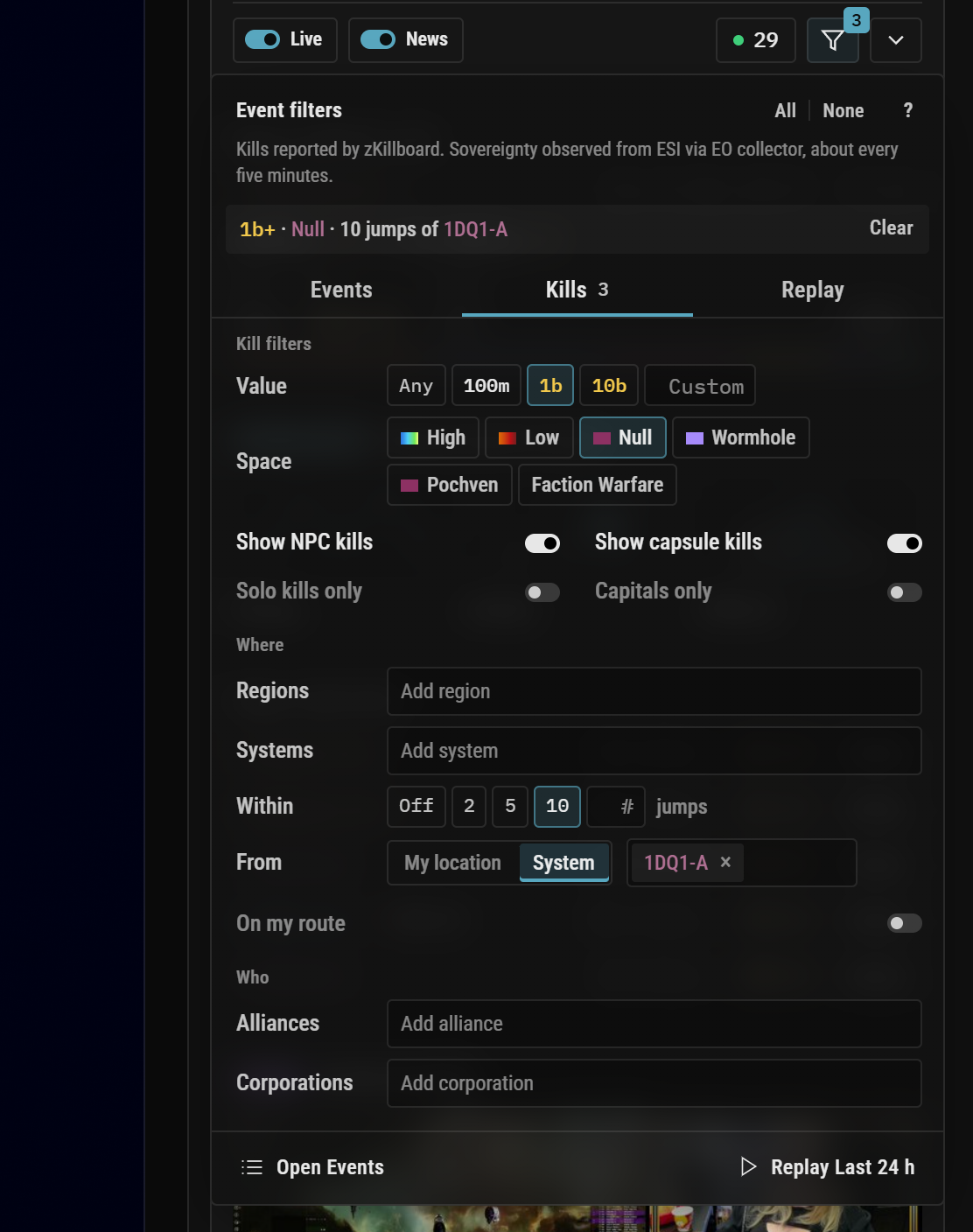
It is one popover with three tabs, Events, Kills and Replay, and it is the same in Watch view, on the Map view ticker and in the Live Events window. The Watch view live card also shows players online and kills in the last hour now, and new rows ease in rather than popping into place.
The Map view ticker now skips ahead when it falls behind, so a row never enters more than 20 seconds after it arrived while newer ones wait, and it does that without anything already visible on the tape moving. Two older cases where the tape jumped are fixed as well.
History on demand
The other inherited habit I took out was keeping 72 hours of history in your browser. On EF-Map that makes sense. The events there are everything happening on EVE Frontier's public blockchain, a lot of them and of many kinds, and leaving the map open gives you 72 hours of that intel without running your own indexer, and it costs me almost nothing to serve. For kills on EO-Map it does not carry over. My server already keeps every kill. An hour of kills is 40 to 150 KB. When I measured it, the last 24 hours came to 1.64 MB and about 18,400 kills, and the last 72 hours to about 4.9 MB and about 55,100.
So your browser no longer needs to have been open. Opening the Live Events window, searching or replaying fetches whichever hours it is missing and keeps them, and a browser is not slowed down holding three days of history nobody asked for. Opening the window with 24 hours selected took about 5 seconds to fill in my testing, and 72 hours took about 14.5, with a small progress line while it loads. Hours it already has are skipped, so reloading the page downloaded nothing.
Going back over what EO-Map inherited is the part I think I will keep doing. It started as a copy of EF-Map, and a lot of what came across was built for EVE Frontier's reasons. Most of it holds up. Some of it, like a ticker nobody had ever timed or a history that only existed if you had left a tab open, made sense over there and just never got asked whether it still made sense here.
If the feed looks late or clumpy to you, or a filter does something you did not expect, let me know and I will have a look.